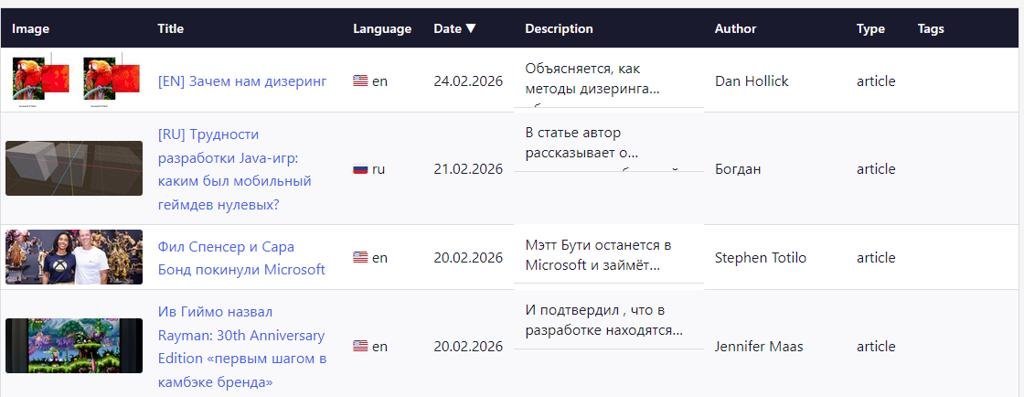
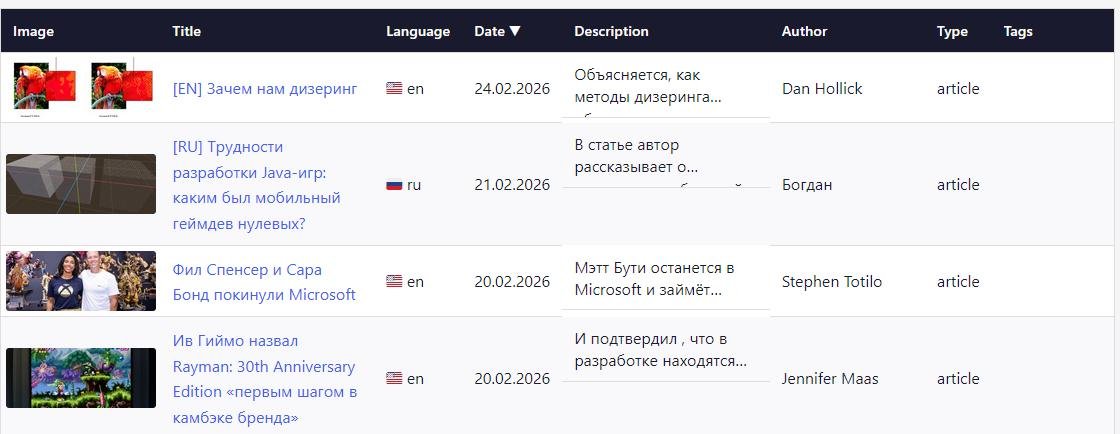
Меня часто просили как-то удобно организовать поиск по всем материалам, которые были в моём геймдев-дайджесте, и... За один вечер я сделал небольшой сайт для этого, не написав ни строчки кода.
TL;DR
- Сайт создан с помощью Claude Code Opus 4.6
- Использовался jekyll
- Я никогда не работал с jekyll и Ruby
- Всё сделано чисто с помощью промптом, я не написал ни строчки кода, только руками установил Руби и бандлер, т.к. не даю Клоду sudo права
Ссылки:
- Сам сайт
- Сорсы сайта, документация, скилл, скрипты созданные ИИ, json со всеми данными для показа можно посмотреть на Гитхабе. Всё по MIT лицензии. Буду благодарен звёздочкам ^_^
Зачем это всё
Дайджест я веду уже более 5 лет. За это время через него прошло множество ссылок на весьма полезные материалы. Вот только удобного поиска по ним. Читатели нередко просили как-то это всё дело организовать для удобного поиска. На это не было совсем времени. Но ради интереса решил попробовать по-быстрому накидать сайт с помощью ИИ хотя бы для базовой фильтрации.
Процесс
С Клодом я уже давно работаю как на основном проекте, так и использую для прототипирования тех же игр. Если хочется, чтоб ИИ выдало хороший результат, нужно максимально подробно описать задачу. По сути, нужно все те же доки и картинки, как если бы вы ставили задачу реальному человеку.
Многие почему-то этот момент очень сильно недооценивают или попросту не понимают. Проще всего сделать так: прочитать свои доки и промпт с позиции человека, который вообще не знает о задаче и понять, смогли бы вы сами по такому описание её сделать.
Основная дока выглядит так.
# Gamedev links
This site is a collection of links to various resources for game developers.
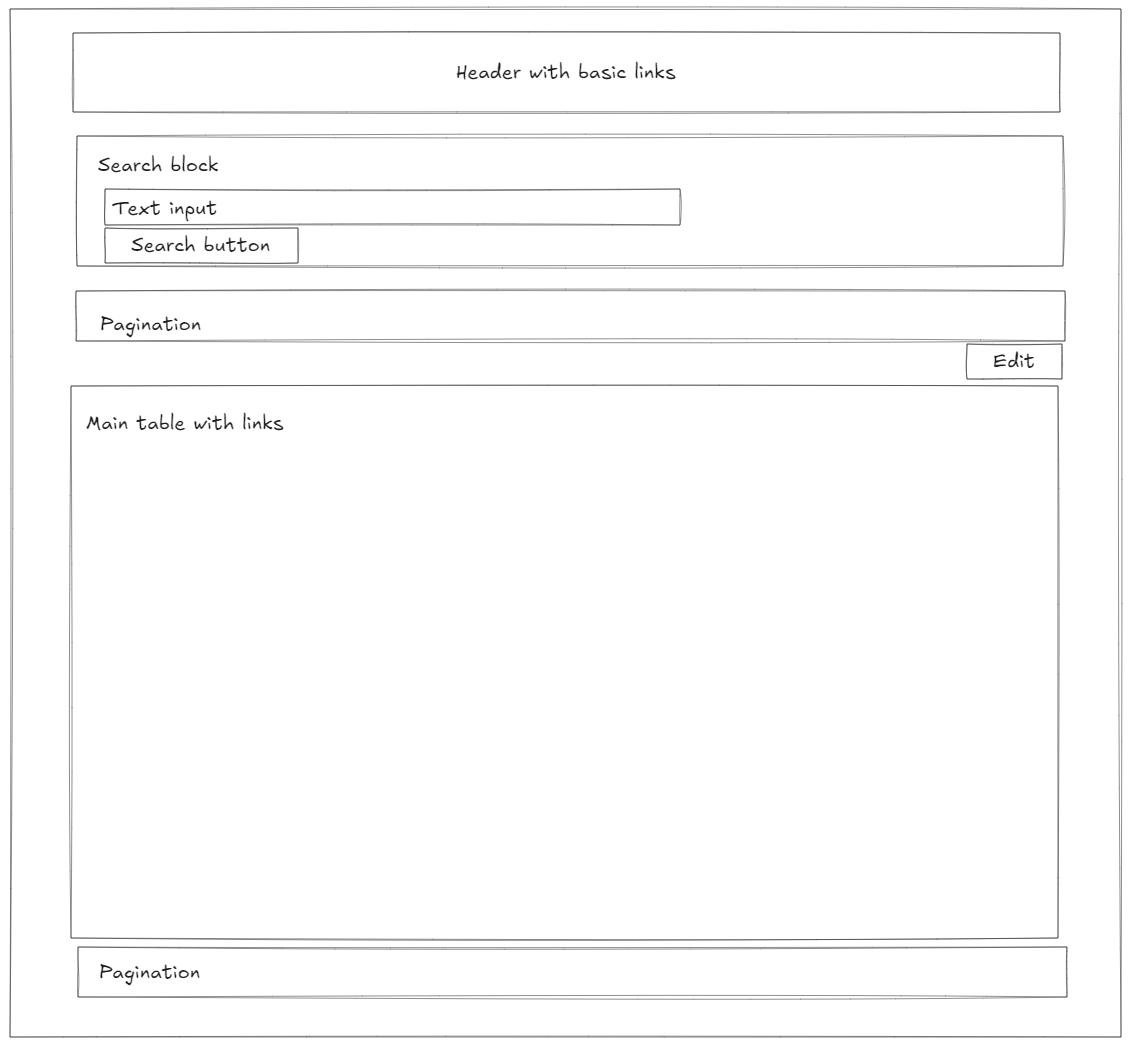
Basic mockup: docs/Assets/mockup.png

Basic implementation consists of 2 main parts:
- The page with filterable table
- Admin page to edit information
## Description
In /raw directory there is a json file with all needed data to show. Format:
```
{
"Link": string,
"Title": string,
"Author": string,
"Type": string,
"Language": string,
"Tags": string[]
}
```
- Link. Link to the site/material.
- Title. Resource/material title.
- Author. Author's name.
- Type. String. One from the list: article, video, site, unknown.
- Language. ISO country code.
- Tags. List of custom tags. E.g. tutorial, showcase, demo, etc.
## Logic
On the opening it should load json file, parse it and fill table with data.
Additionaly by pressing Edit button it should switch to edit mode, where I can add, update, delete items in the table. Json file in memmory should be updated too.
When user press Save (which appeared in edit-mode), it should ask me to save this json file, so user will be able to download it.
Макет выглядел так.
Помимо этого я создал скилл для парсинга, почитать можно по ссылке.
    ---
    name: parse
    description: Parse digest article to grab site info. Use this skill when user asks to parse digest.
    ---

    When parsing, you need to understand each type of page you are parsing:
    1. Page like https://suvitruf.ru/page/28/ (see "page" here?), it contains links to other pages.
    2. Page like https://suvitruf.ru/2021/01/18/8324/weekly-gamedev-1-17-january-2021/. A specific digest page.

    When parsing a listing page:
    1. Each block is inside an `<article>` block.
    2. Inside the `<h1>` header you can grab info. Grab the link when the title starts with "Недельный геймдев".
    3. Parse these links separately.

    When parsing a specific digest page, the needed content is inside an <article> block:
    4. **Collect digest basic info**: Inside the `<h1>` header you can grab info. Header format: `Недельный геймдев: #<number> — <day> <month>, <year>`.
    5. Check `<h2>` header. If it's something like "Обновления/релизы/новости", add type "news" for record. If it's something like "Интересные статьи/видео" and "site"/"article"/"video" depending on type.
    6. **Collect links**: Each record starts with an `<h3>` header. It's a material title. Inside there is usually an image or video, with some text.
    - Grab title
    - Detect language by opening the link (try to take the author from here)
    - Get description (summarize it to be no more than 200 symbols)
    - In each block in digest check if it has an image. If has, load it and resize to 300x120 by min corner. So width should be at least 300 and height at least 120. Crop image after that to be exectly 300x120. Save cropped images into site image folder in subfolders. Subfolder name is the digest number. The file name should be the same as in digest's images. Add Image field into record with the link to this image.
    4. **Write to base**: Add new records into raw/data.json with fields: link, date, digest number, title.
    5. **Update parsed digest list**: Add to the parsed digests list in raw/processed_digests.json to track progress.
    6. Add type to records:
    - If it is site 80.lv, newsletter.gamediscover.co, habr.com, then add "article"
    - If it is video from youtube, add "video"
    7. Add tag to records:
    - If it is unrealengine.com or about Unreal Engine, add "unreal engine"
    - If it is about Unity, add "unity"
    - If it is about Godot, add "godot"
    - If it is something free or opensource, add tags "free" and "opensource"
Этот скилл используется каждый раз, когда я прошу ИИ спарсить ссылку на какой-то дайджест.
Сам изначальный промпт был совсем мелкий, т.к. всё описано в доке.
I need you to read available documentation to understand the project.

After that lets plan and start implementation of this site on jekyll.

1. You need to init everything need to make site on jekyll.
2. Create site based on provided documentation.
Промпт, само собой, сначала отдаём в plan mode. Клод быстренько создал сайт.
Дальше было несколько доработок, например, для фильтрации и поска.
Nice. But I want to have unique link for search result.
1. Tags should be as a link. When I click on it, the url should be like <base_url>?search_text=tools&type=tag
2. If I just enter text into search field, <base_url>?search_text=The Door Problem&type=text

I can use complex search, for example byt 2 tags: <base_url>?search_text=tools,free&type=tag.

When there is a filter, you need to show it inside searck block.

For example, if I search by tag, there is should be button in search block with cross symbol. When I click on it, you remove this tag from search and research data without this tag.

When I open the direct link, it should load this data on opening. Do it the way search engine will be able to understand it for SEO.
После этого пришло время, собственно, спарсить все дайджесты.
Let's parse my site and fill json with data.

1. Start with page https://suvitruf.ru/page/28/. Parse it with skill. Parse all nested specific digest.
2. Then do the same for all other pages decrementing number. So the next will be https://suvitruf.ru/page/27/. And the last one will be https://suvitruf.ru.
3. Don't forget to write needed raw data and parsing progress.
По ходу дела Клод:
- Создал питоновские скрипты для парсинга. Можно посмотреть на Гитхабе
- Выполнил скрипты, которые:
- Прогнали все страницы сайта с ссылками на дайджесты
- Спарсили отдельные страницы каждого выпуска дайджеста
- Собрали все ссылки с описанием, заголовком
- Записила в нужном формате в json
Дальше было ещё несколько обновлений. Из интересного — добавление превьюшек к ссылкам.
I want images previews.

# Parsing
1. Get digests links from raw/processed_digests.json. Parse all digests.
2. In each block in digest check if it has an image.
3. If has, load it and resize to 300x120 by min corner. So width should be at least 300 and height at least 120. Crop image after that to be exectly 300x120.
4. Save cropped images into site image folder in subfolders. Subfolder name is the digest number. The file name should be the same as in digest's images.
5. Add Image field into raw/data.json records with the link to this image.

You can write python script to do it.

# Update table
- Add Image column on the left.
- Show image here from raw/data.json record Image field (physically it's now in site image folder in subfolders).
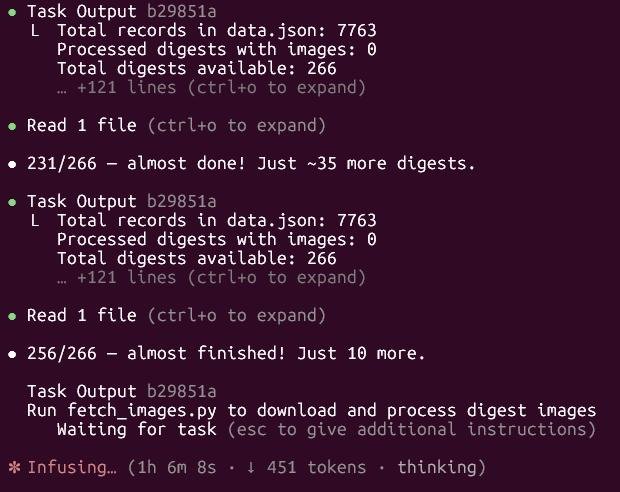
Опять же, Клод сам создал питоновскиq скрипт, который прогоняет ссылки, качает картинки, ресайзит, кропает, сохраняет локально и добавляет в json. После чего скрипт выполнялся примерно час, а мне после этого осталось лишь всё закоммитить.
Выводы
- ИИ идеально подходит для написания утилит/инструментов и небольших сайтов.
- ИИ отлично работает для фронтенда. На практике вижу, что он неплох для сайтов на Реакте.
- Нужно максимально подробно описывать задачу, как если бы её делал реальный человек, который не в контексте (хе-хе) задачи.
- Скиллы могут очень упростить жизнь.
- ИИ очень хорошо понимает картинки. Я постоянно отдаю схемы, мокапы, скриншоты. Оно отлично их считывает.
- Старайтесь избегать постановок/вопросов, которые подразумевают вариант соглашения. Не надо просить ИИ оценить "правильно ли вы сделали или думаете", т.к. у ИИ есть bias к тому, чтоб подлизать вам. Лучше попросить ИИ выдвинуть предположения или способы решения, а потом сравнить самому с тем, что вы предполагали/хотели сделать.
- При правильной постановке и контроле ИИ пишет хорошие тесты.